Dell U2724DE Review: 8.6/10 - The Pro's Daily Driver Monitor Just Got Smarter
We may earn a commission from links on this page Learn more
At no additional cost to you. As an Amazon Associate we earn from qualifying purchases; we also participate in the eBay Partner Network (EPN). See our full disclosure.
The Dell U2724DE is the monitor I'd recommend to developers, designers, and office workers who want one cable to rule them all.
users seeking the vibrant color accuracy and smooth refresh rates of the Dell U2724DE
your current display meets your resolution and refresh needs, making the Dell U2724DE redundant
Prices last checked September 22, 2026
Overview
The Dell U2724DE is the monitor that productivity professionals have been asking for: a sharp 1440p IPS Black panel with 120Hz refresh, a built-in KVM switch, and enough ports to replace a docking station. At $449, it’s not cheap for a 27-inch QHD monitor, but when you factor in the hub functionality and the excellent panel quality, it starts to make a lot of sense for anyone running a multi-device setup.
Design & Build
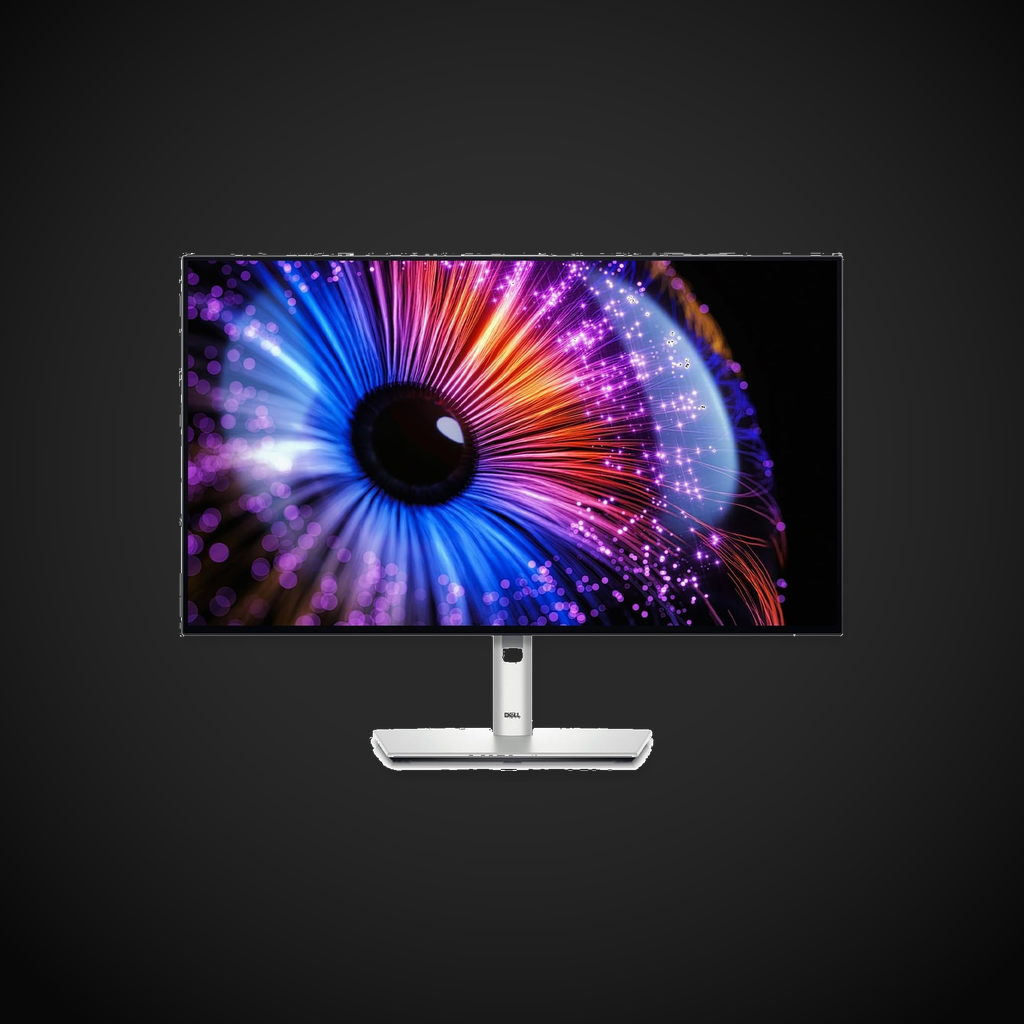
Dell’s UltraSharp line has always been about understated professionalism, and the U2724DE continues that tradition. The bezels are thin on three sides with a slightly thicker chin carrying the Dell logo. The stand is excellent - fully adjustable with height, tilt, swivel, and pivot - and it doesn’t wobble even at full extension. Cable management runs through the stand neck. The build quality is typical Dell Ultrasharp: nothing flashy, just solid engineering with tight tolerances and a matte black finish that won’t look dated in five years.
Performance
The IPS Black panel delivers a 2000:1 contrast ratio - double what typical IPS monitors offer. Blacks are noticeably deeper, and the difference is visible in dark scenes in movies and when working in dark-mode IDEs. The 120Hz refresh rate is a welcome upgrade from the standard 60Hz; scrolling through code, web pages, and documents is fluid without the OLED tax. Color accuracy is excellent out of the box - Delta E < 2 means you can do photo editing without calibration. The 350-nit brightness is adequate for indoor use but won’t compete with HDR monitors for bright-room visibility.
Features
| |The built-in USB-C hub is the killer feature. A single USB-C cable from your laptop delivers 90W power delivery, video signal, and access to four USB-A ports, an RJ45 Ethernet jack, and a 3.5mm audio out. The built-in KVM lets you switch between two connected computers (USB-C and DP + USB-B upstream) with a button press - perfect for a work laptop and a desktop on the same desk. The RJ45 port provides gigabit Ethernet, which is more stable than Wi-Fi for large file transfers. Picture-by-picture and picture-in-picture modes are supported.
| The built-in USB-C hub is the killer feature. A single USB-C cable from your laptop delivers 90W power delivery, video signal, and access to four USB-A ports, an RJ45 Ethernet jack, and a 3.5mm audio out. The built-in KVM lets you switch between two connected computers (USB-C and DP + USB-B upstream) with a button press - perfect for a work laptop and a desktop on the same desk. The RJ45 port provides gigabit Ethernet, which is more stable than Wi-Fi for large file transfers. Picture-by-picture and picture-in-picture modes are supported. |
Pros
- IPS Black panel delivers real contrast improvement
- 120Hz refresh makes everyday use feel smoother
- Excellent built-in USB-C hub with 90W PD and KVM
- Stand is included and fully adjustable
Cons
- 1440p at 27” is good but not retina-sharp (some prefer 4K)
- 350 nits peaks - HDR support is nominal
- No local dimming zones
- OSD joystick is a bit small and fiddly
Verdict
The Dell U2724DE is the monitor I’d recommend to developers, designers, and office workers who want one cable to rule them all. The IPS Black panel delivers genuinely better contrast than typical IPS, the 120Hz refresh makes daily use feel premium, and the built-in KVM and hub reduce cable clutter dramatically. It’s not the monitor for HDR enthusiasts or 4K purists, but for the practical professional, it hits a sweet spot.
Sources
Technical Specifications
How We Scored This Product
Every product on ComfyTechCheck is scored on a 1 to 10 scale across four criteria. Each criterion is weighted differently depending on the product category to reflect what matters most to real buyers.
- Performance & Capabilities 40% Speed, accuracy, quality of output in its category.
- Build & Design Quality 30% Materials, construction quality, durability, form factor.
- Consumer Value 20% Price-to-performance ratio relative to direct competitors.
- User Experience 10% Ease of setup, daily usability, comfort, ergonomics.
Scores are assigned by our editorial team after hands-on testing or extensive research using verified user reports, expert analysis, and technical specifications. For the full weight breakdown by category, visit our How We Rate page.